
Get started
From nothing to your first moving character. Each step takes a few minutes; you can stop after any of them.
-
1
Get pantin
There is no download yet: pantin is built from its source. Install Rust (one command on Windows, macOS and Linux), then, in the folder of pantin:
cargo run --release -p pantin-appThe first build takes a few minutes; after that it starts at once. On a Linux desktop nothing else is needed.
-
2
Look around
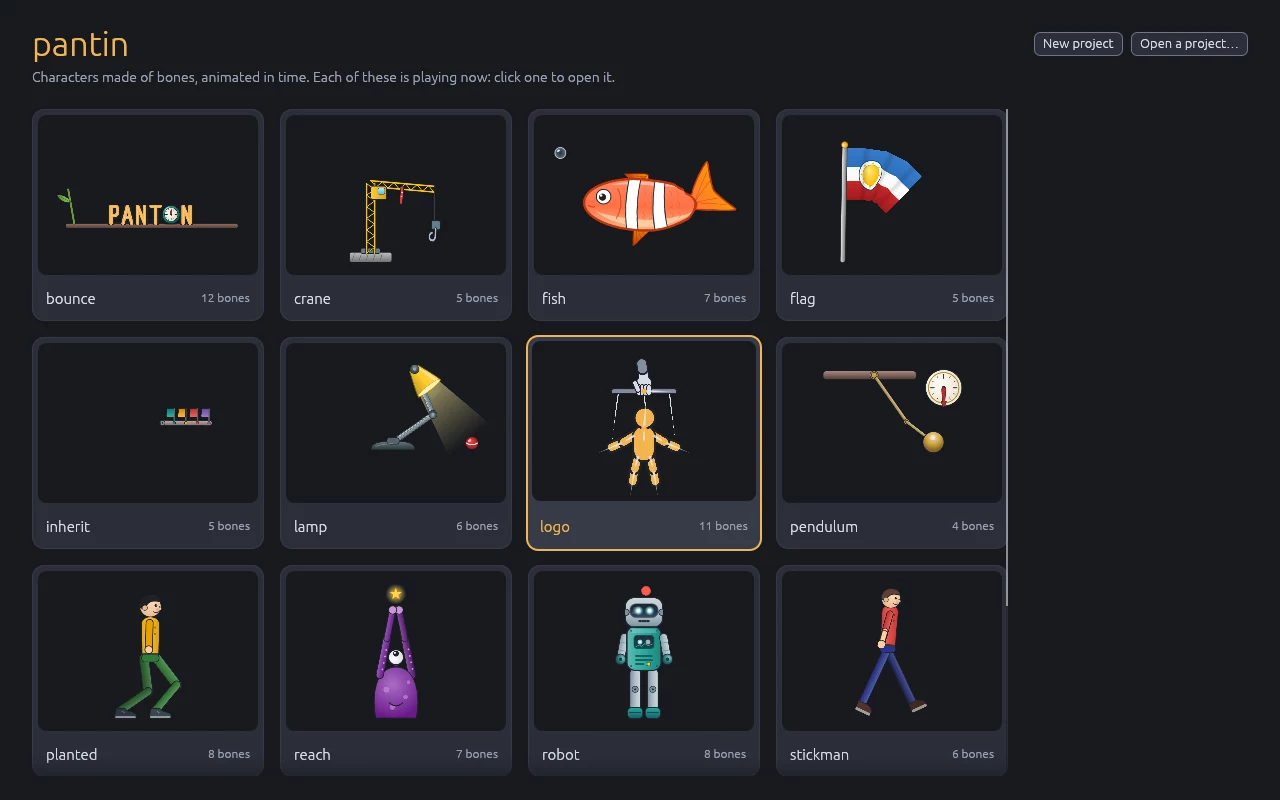
pantin opens on its start screen, where every example plays. Click one to open it: the robot, the fish, the lamp… Each is made to show one thing, written on its card.
The first time, a short tour shows the basic gestures on a stickman: select a bone, turn it, set a key, play. It takes two minutes.
-
3
Learn five ideas
Everything in pantin comes from five ideas. If they are clear, the rest follows.
- Bone
- An invisible stick. Bones hang from each other like a real skeleton: move the arm bone, and the hand bone comes along.
- Piece
- An image hung on a bone. It moves, turns and stretches with its bone.
- Setup and Animate
- The two modes. In Setup you build the character; in Animate you make it move. The same gesture means one thing or the other.
- Key
- A pose saved at a moment of an animation. Between two keys pantin moves the bones smoothly; a curve says how (slow, then fast, then slow…).
- Animation
- A named list of keys:
walk,jump,idle. A character has as many as it needs, and a game chooses which to play.
Another word? The glossary explains them all.
-
4
Make your first character
Build Pip takes you from an empty project to a fox that walks, with its images to download. Nine chapters of five to fifteen minutes, every gesture shown.
-
5
Go further
- The manual: every tool, in the order you work, each gesture in a short video.
- The examples: open them and see how each is made.
- In Godot or in Bevy: play your character in a game.
- Keys and mouse: every shortcut on one page.