pantin
Free and open source · MIT or Apache-2.0 · not released yet

Make 2D characters move,
for your game.

pantin is an animation tool for 2D games. You draw a character in pieces, give it a skeleton, and animate the skeleton. Your game plays the animation smoothly, at any speed, from a few small files.

A pantin is a jumping jack: a puppet of flat pieces held by pins, that moves when its string is pulled. That is exactly how it works.

The jumping jack of pantin, held by strings from a hand, swinging its arms and legs

How it works

Three steps, from a drawing to a moving character

This is called 2D skeletal animation. Instead of drawing every frame of a walk, you draw the character once and move it like a puppet.

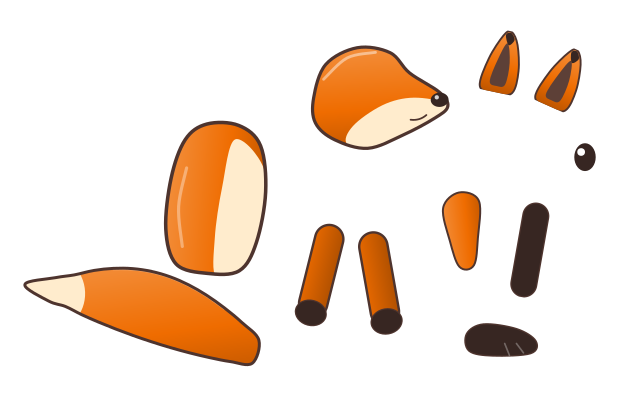
  1. The pieces of a fox drawn apart: a head, ears, a body, a tail, arms, legs and feet
    1

    Draw the pieces

    Draw the head, the body, the arms and the legs as separate images, in any drawing tool: PNG, SVG, or the layers of a Photoshop file.

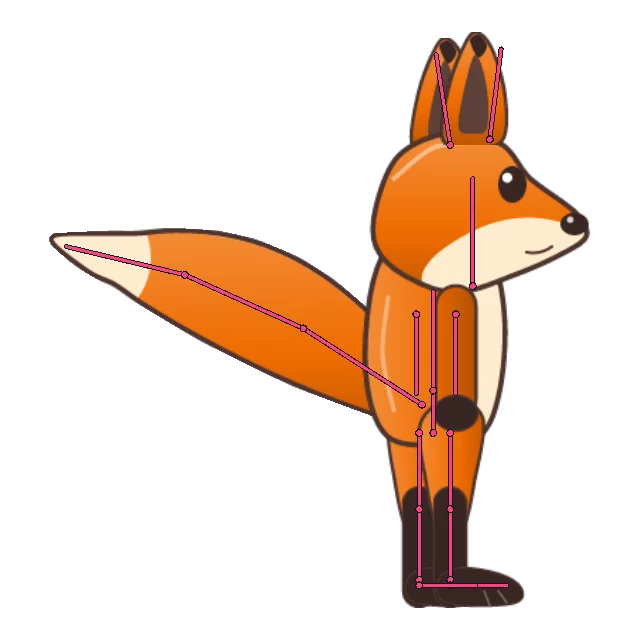
  2. The fox assembled, its bones drawn over it as pink lines: legs, tail, ears, head
    2

    Give it bones

    Draw a skeleton over the character and hang each piece on its bone. Move a bone, and every piece on it follows; bend a leg, and the foot comes along.

  3. The fox walking, its tail swinging
    3

    Animate the bones

    Pose the skeleton at a few moments in time; pantin fills in everything in between. A walk, a jump, a blink: each is an animation your game can play.

Smooth

The poses are worked out every frame, so the motion is fluid at any frame rate and two animations can blend into each other.

Light

A dozen images and a little data instead of hundreds of drawn frames: small downloads, little memory.

Alive

Feet that stay on the ground, a tail that swings by itself, a character that reacts to the game: bones can follow rules, not only keys.

The editor. On the left the skeleton, in the middle the character, at the bottom the timeline where the animation is made.

What you can do with it

Whatever your character is for

What is in the editor

Everything to build and animate a character

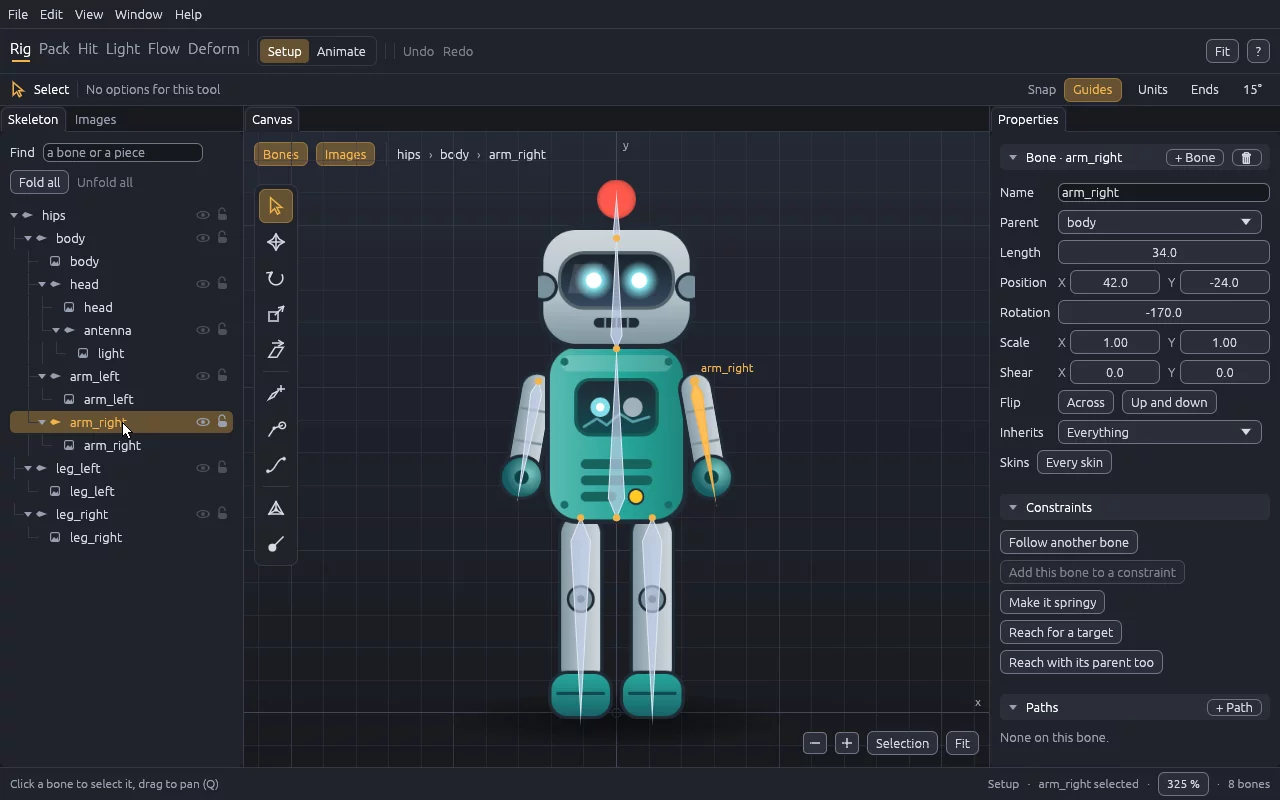
The Rig workspace in Setup mode: the robot, its right arm selected in the tree, the fields of that bone on the right

A skeleton, and the pieces it carries

Draw bones with a drag, drop your images onto them, and set any value by typing it. The tree on the left shows what hangs from what.

  • Outfits (skins): one skeleton, several looks
  • Masks, points a game reads, flipbook frames
The skeleton, in the manual →
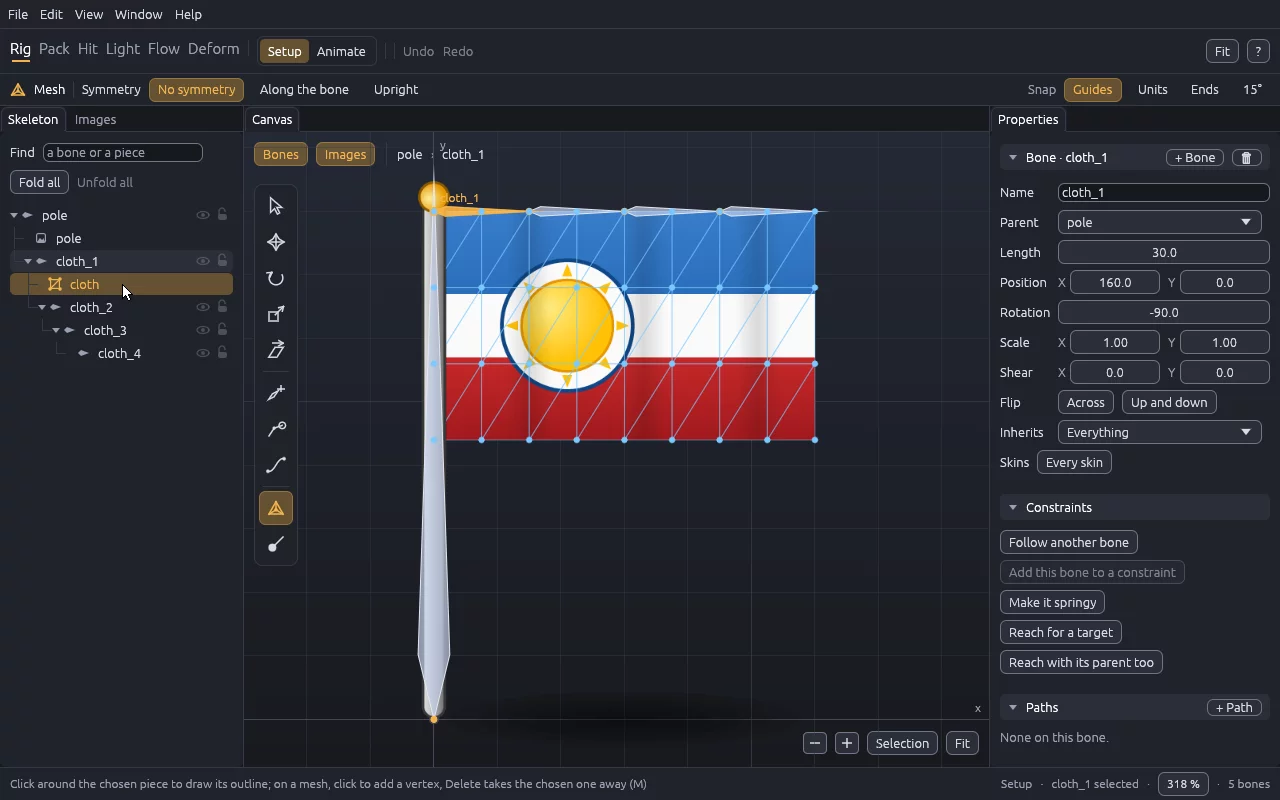
The Mesh tool on the flag: the cloth cut into triangles that hang from a chain of four bones

Images that bend

A piece can be cut into triangles (a mesh) and carried by several bones, so a tail curves, cloth waves and a body breathes instead of breaking at the joints.

Images and meshes, in the manual →
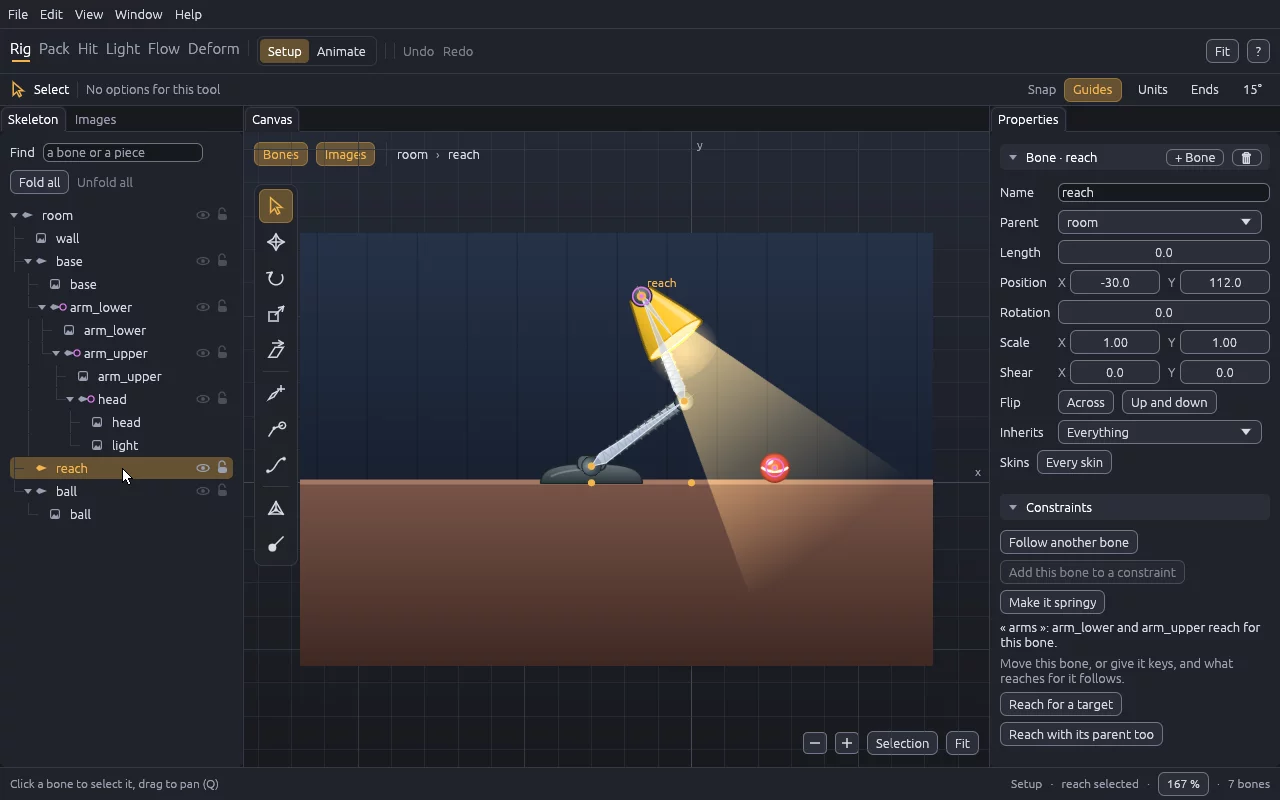
The lamp in Setup mode: its two arms bend so that its head reaches a target

Bones that move by themselves

Rules save keys: an arm reaches for a target and bends at the elbow (IK), an eye follows another, a tail swings on a spring with no key at all, bones follow a path.

Constraints and springs, in the manual →
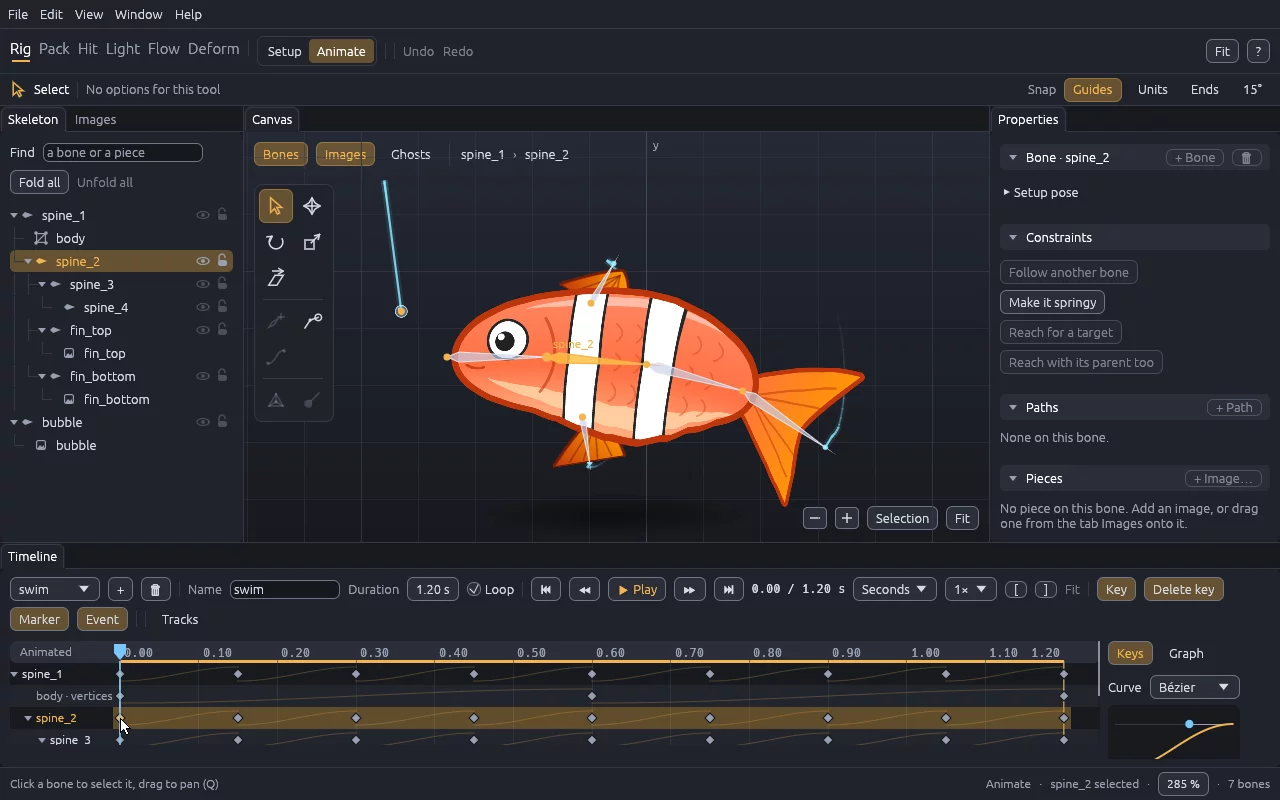
Animate mode: the fish and its keys on the timeline, the curve of a key on the right

A timeline with keys and curves

Pose a bone and a key is set at the time of the clock. Curves say how it eases from one key to the next, and ghosts of the poses before and after help judge the motion.

Animation, in the manual →
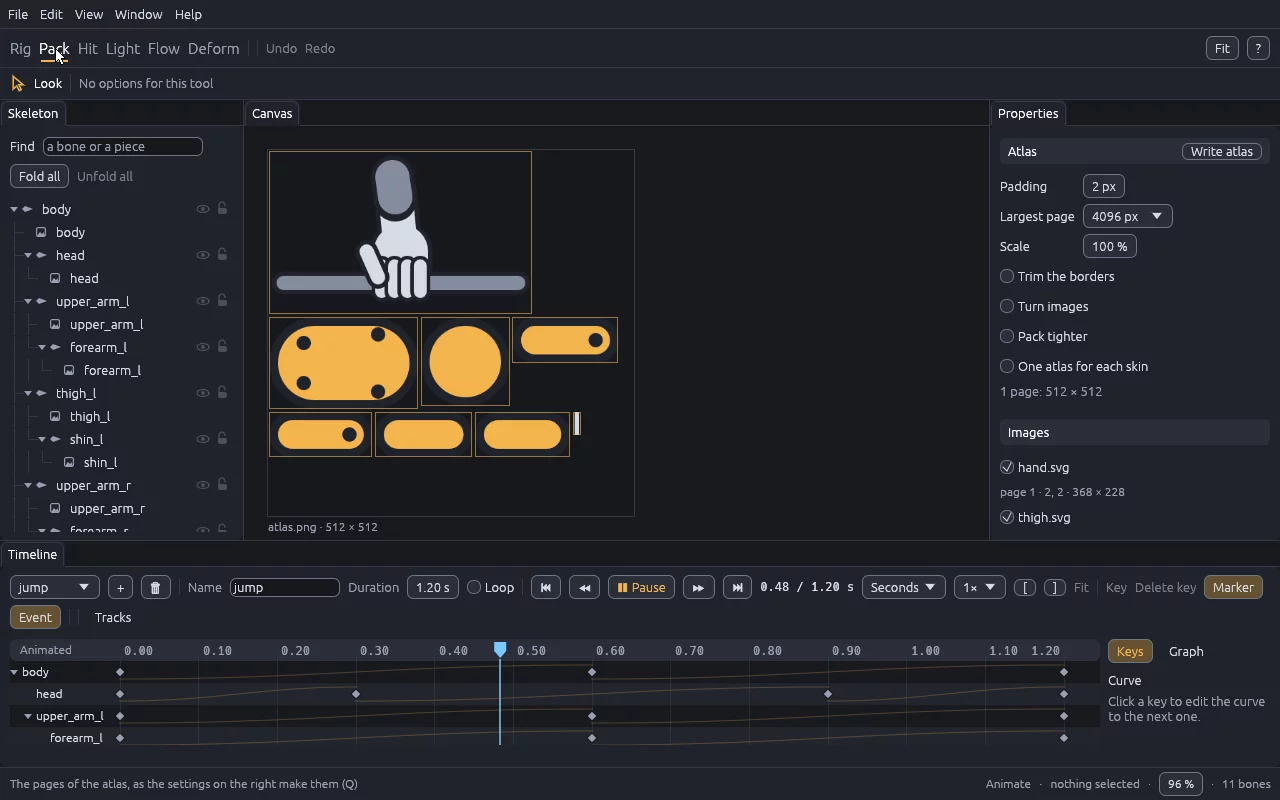
The Pack workspace: the page of the atlas of the logo, each piece in its place, the settings on the right

Ready for the game

All the pieces packed into one picture (an atlas), normal maps for games that light their characters, hitboxes and a graph of states, then one file a game loads.

Atlas and export, in the manual →

The whole manual, each gesture in a short video

In your game

The same character, in the engine you use

The library that plays characters in the editor is the one games use, so a game shows exactly what the editor showed.

Examples

Twenty-nine characters, each showing one thing

They open from the start screen of the editor. Here they are as pantin renders them.

All the examples

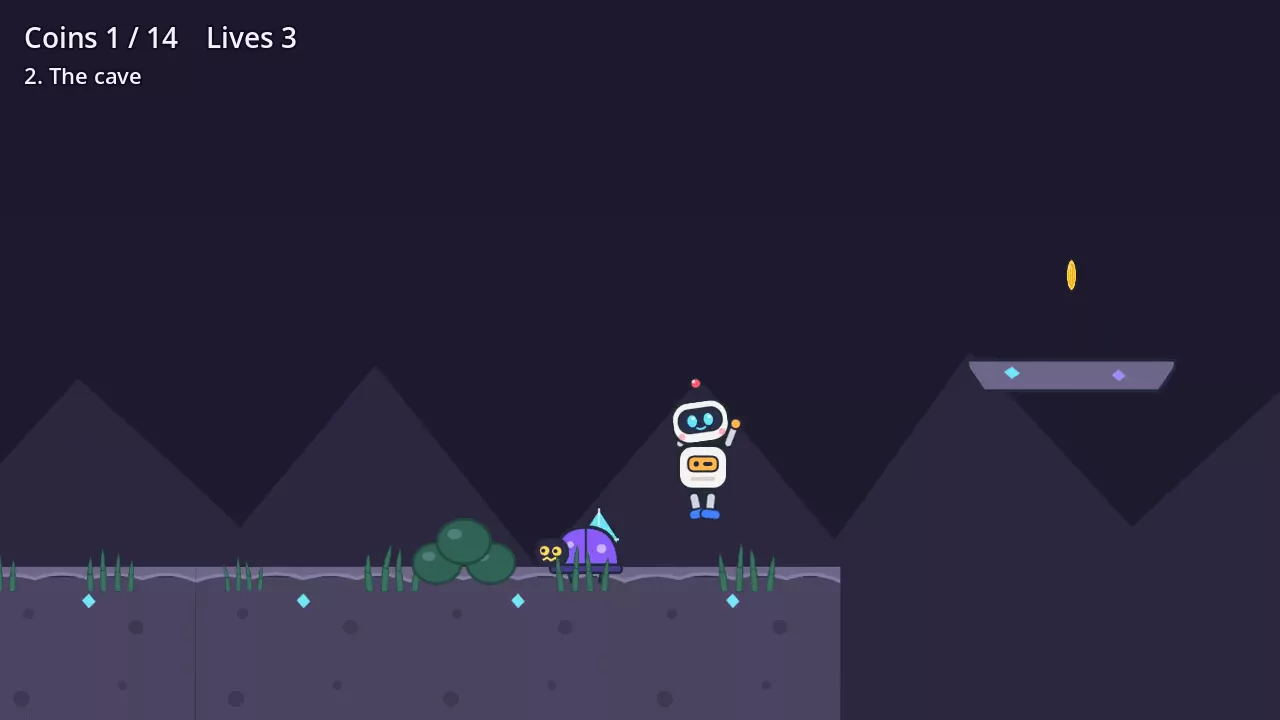
Pim, the hero of the game made with pantin, running through the meadow

A game made with pantin

Pim, a platformer in Godot

Three levels where every picture is a pantin character: a hero driven by its states, beetles squashed by their hitboxes, grass that rustles as Pim runs through it.

The game, and how it is made →

Learn

Where to start

Where it stands

Built, and next

  1. Built

    The editor. Bones, images, meshes and weights, constraints and springs, skins, a timeline with keys and curves, undo, in four languages.

  2. Built

    Ready for games. The atlas, normal maps, hitboxes (Hit), a graph of states (Flow), one bundle a game loads, exports to GIF and video.

  3. Built

    Runtimes for Godot and Bevy, and a game made with them.

  4. Next

    More. Deformation in 2.5D, runtimes for the web and Unity, and a first release to download.

Questions

Frequently asked

Is it free?

Yes. pantin is open source, under the MIT or Apache-2.0 licence, at your choice: you can use it for any game, commercial or not, and the characters you make are yours.

Can I download it?

Not yet: there is no release so far. It is built from its source with Rust, on Windows, macOS or Linux; Get started says how, in two commands.

Do I need to know how to animate, or to code?

Neither to start. The tutorial goes from nothing to a walking fox, gesture by gesture. Putting the character in a game needs what your engine needs: a node in Godot, a few lines in Bevy.

Which game engines?

Godot 4 and Bevy today. The files are documented, so other engines can read them; the web and Unity are planned.

Can I use the art I already have?

Yes: PNG and SVG images, the layers of a PSD, and skeletons exported as JSON by another animation tool, with their atlas.

Why not just draw every frame?

Frame-by-frame animation is beautiful, and pantin can play flipbook frames too. Bones make the files smaller, the motion smooth at any speed, blend one animation into the next, and let the game bend a character as it plays.

A clean-room implementation. pantin is written from scratch. Code derived from the runtimes of proprietary animation tools is never read nor accepted, and its file format takes nothing from theirs.